Proxlab AI Sign in
Invite only ยท Hosted in Europe

The AI team that messages you first.

Chat with a team of assistants, each with a job of its own. They keep an eye on things, text you when something needs you, remember what you've talked about, and take on real work while you get on with your day.

ai.proxlab.se
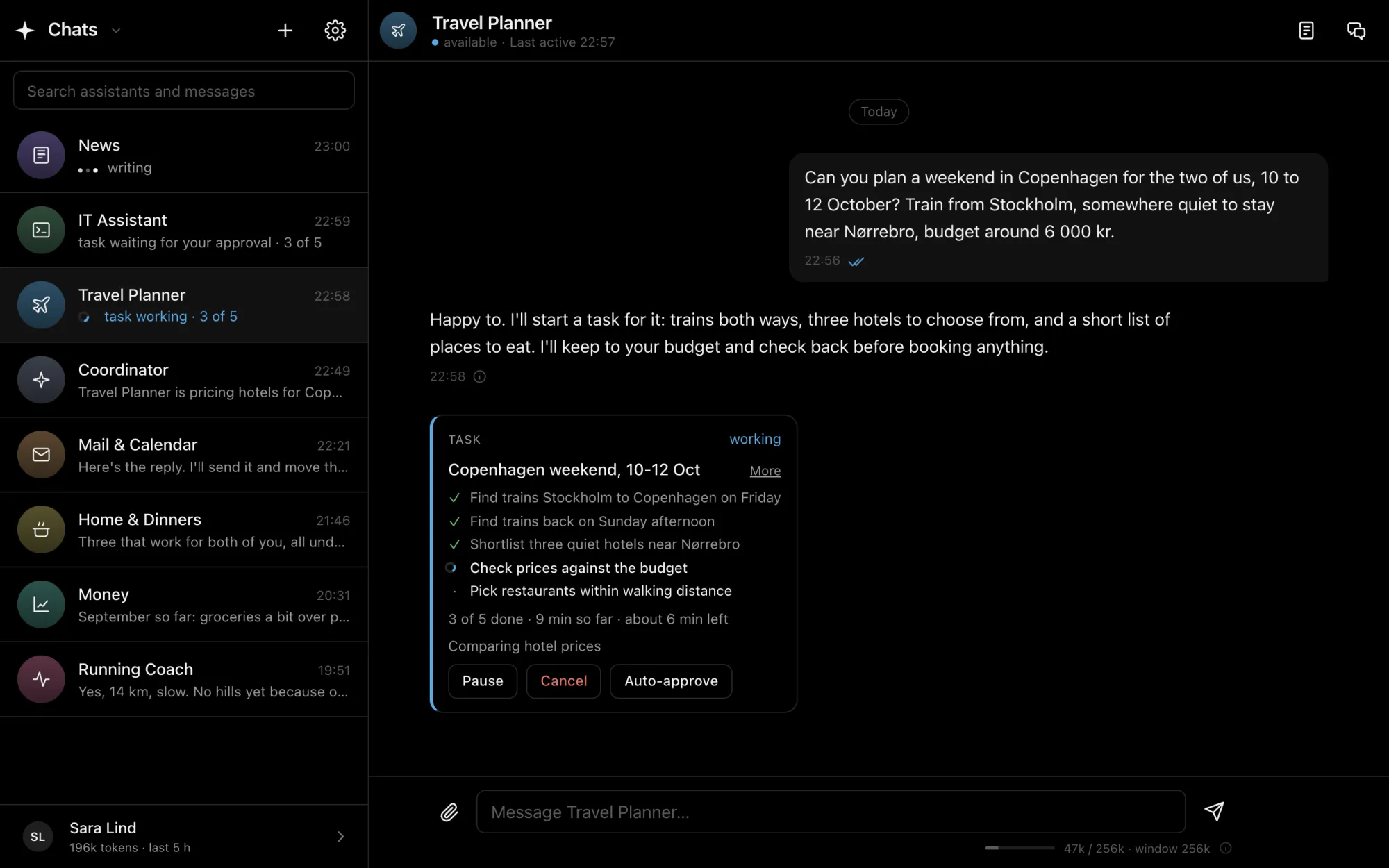
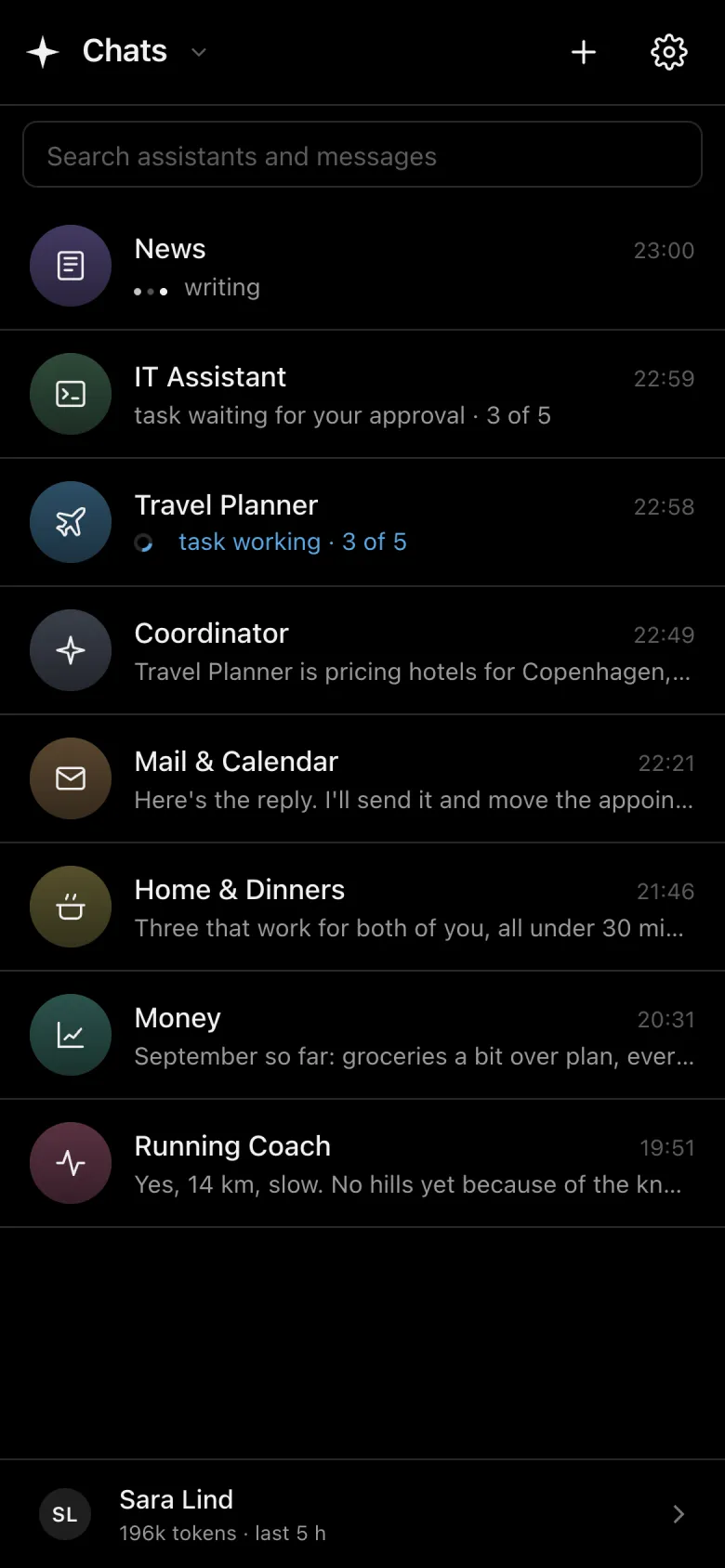
Proxlab AI on a desktop: a chat list of eight assistants, News writing a reply, and Travel Planner working through a task to plan a weekend in Copenhagen.
The chat list on a phone.

They reach out

You don't have to remember to ask.

Each assistant watches its own area and messages you when it matters: the plan for your day, a reply that needs a yes, a server that wants updates, an easy run after a short night.

  • Notifications on your phone, like any chat
  • Quiet hours they keep
  • Things that can wait, wait for a good moment

Your team, in a chat app

Talk to them like you'd text a friend.

Every assistant is a contact with a job of its own. Keep as many conversations with each as you like, one for the marathon and one for new shoes, and they still know you in every one. The more you talk, the better they know you.

CoordinatorKnows who does what and hands things over
Mail & CalendarYour day, your inbox, replies to approve
Travel PlannerTrains, hotels and flights
IT AssistantSets up and looks after your servers
Running CoachTraining, sleep and recovery
Home & DinnersMeal plans and shopping lists
MoneyBills, budgets and what's due
NewsWhat matters to you, nothing else
ai.proxlab.se
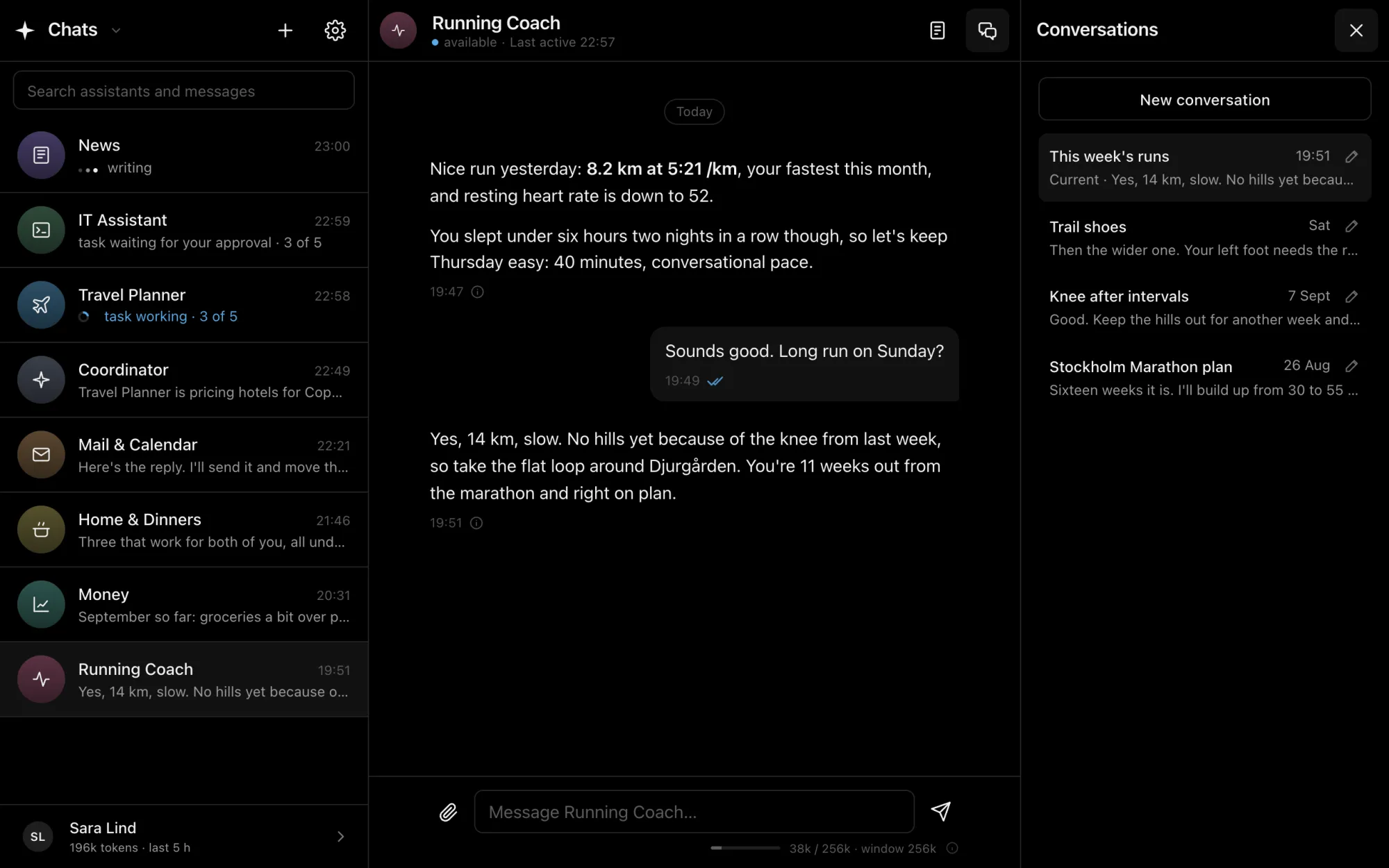
The Running Coach, with separate conversations: this week's runs, trail shoes, knee after intervals and a marathon plan. It remembers the knee from an earlier conversation.

Each with a job

Make the team you need and give each its own instructions, tone and tools. Only the tools you hand out can be used.

Many conversations

Start a new conversation for every trip, project or question. The history stays tidy, and each can be picked up later.

A memory of you

What they learn about you carries from one conversation to the next, and is tidied daily. You can read and change all of it.

Make them yours

A name, a face and a way of talking.

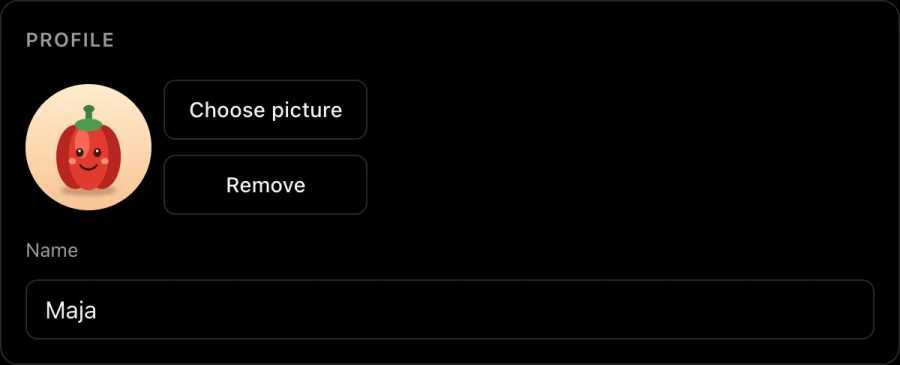
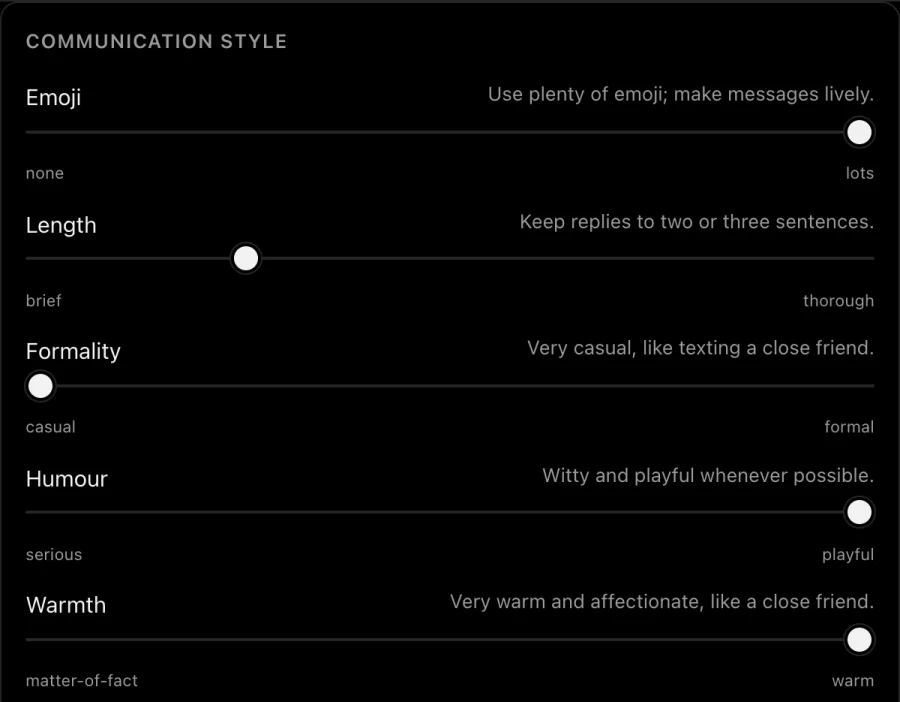
Your assistants don't have to sound like software. Rename Home & Dinners to Maja, give her a picture, and slide her style to casual, warm, playful and full of emoji. Or keep the IT Assistant brief and to the point. Every assistant is set up on its own.

  • Any name and any picture
  • Sliders for emoji, length, formality, humour and warmth
  • Your own words for how it speaks, and how often it reaches out
The profile card: a cheerful bell pepper picture and the name Maja. Communication style sliders: emoji at lots, length brief, formality casual, humour playful, warmth warm.
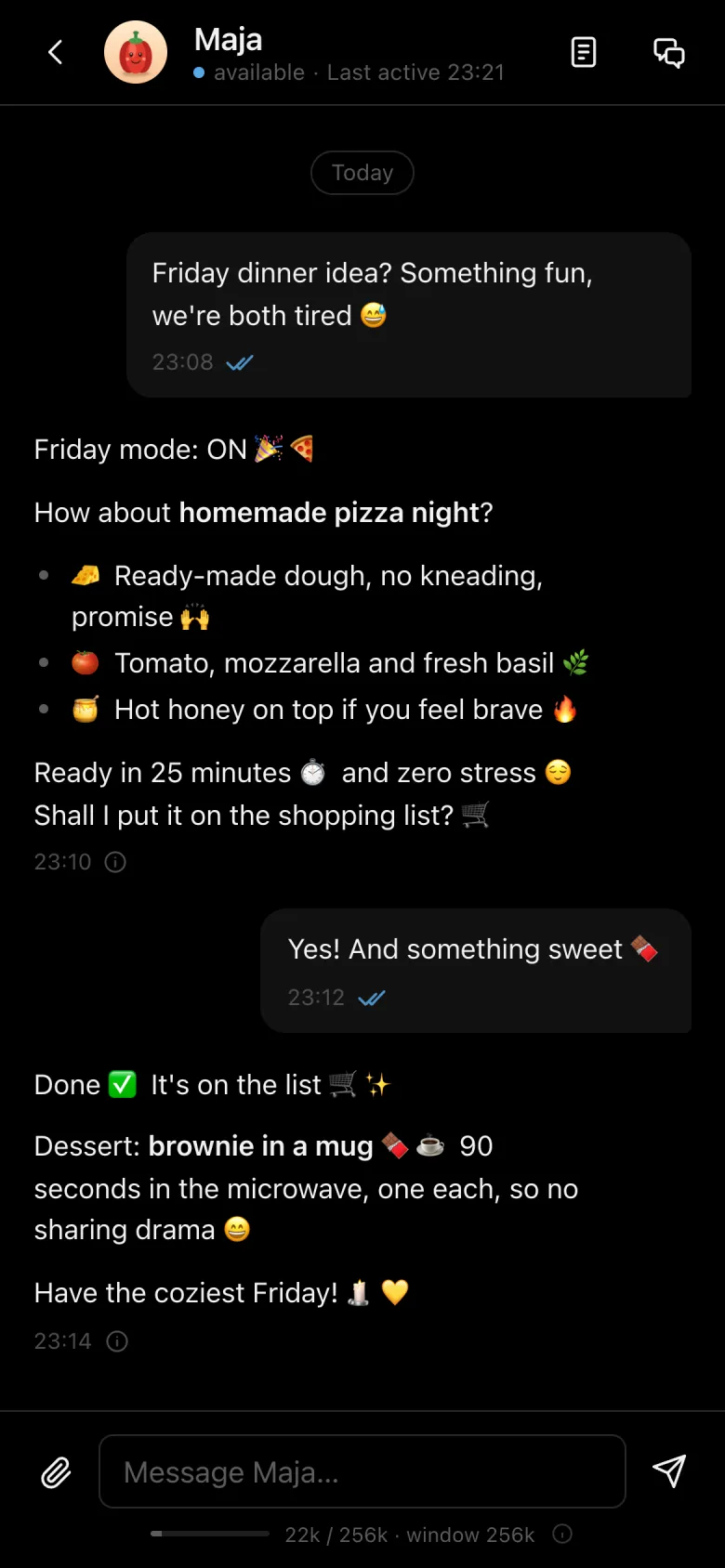
Maja on a phone suggesting a homemade pizza night and a brownie in a mug, full of emoji.

Tasks

Leave them a task.

Hand over real work and walk away. Ask your IT Assistant to set up a web server and it plans the steps, runs the commands, sorts out what goes wrong on the way, and reports back. Or let your Travel Planner put a whole weekend together.

  • A live checklist, with the time left
  • Questions come back to you inside the task
  • Pause, resume or cancel at any time
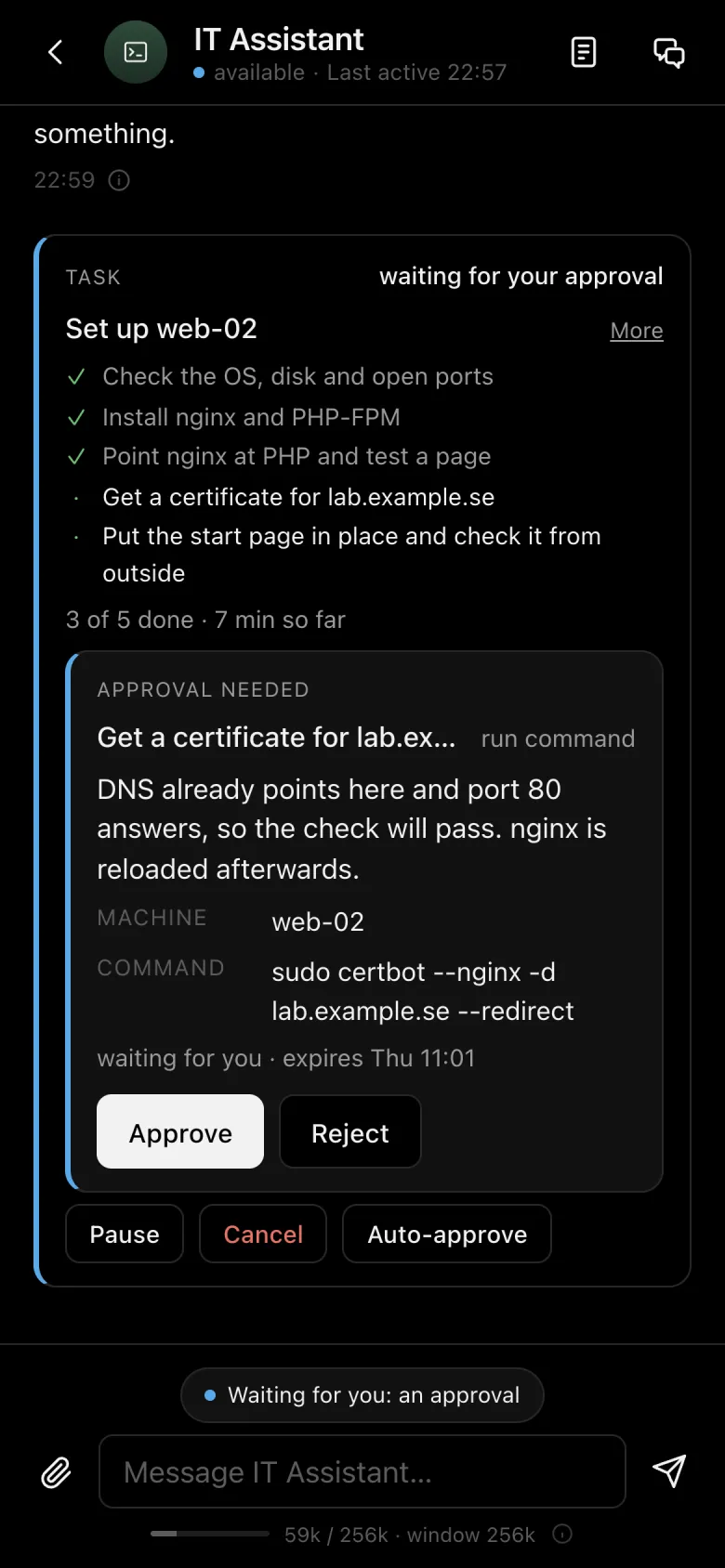
The IT Assistant's task to set up web-02 on a phone: three of five steps done, and a command waiting for approval.
ai.proxlab.se
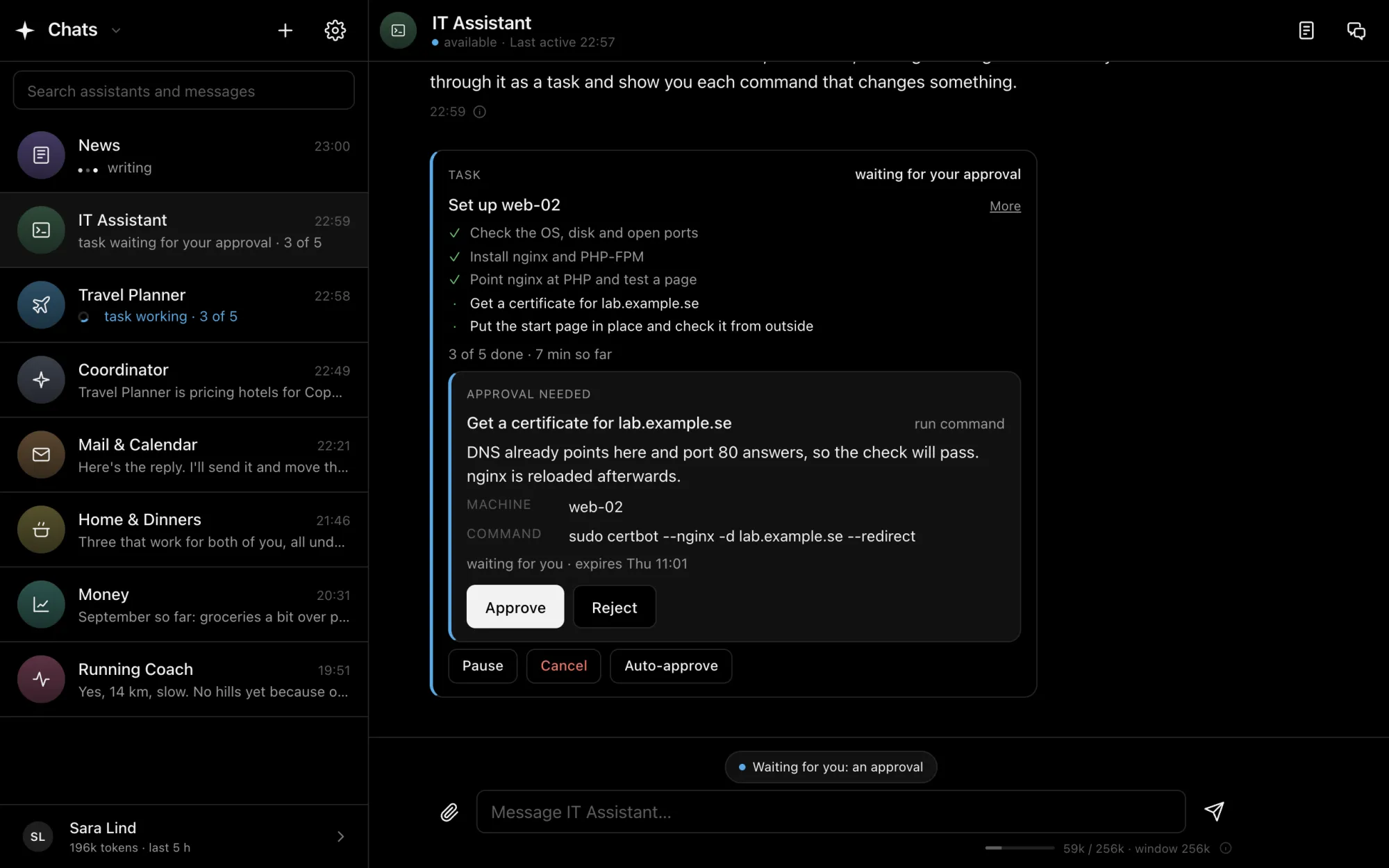
The IT Assistant setting up web-02: nginx and PHP installed, and the certificate command waiting for approval inside the task.

Approvals

Nothing happens without you.

Assistants read and suggest freely. Anything that changes something, such as sending an email, moving a meeting or running a command on a server, waits for a tap from you.

  • You see exactly what will be sent or run
  • Sensitive actions ask for your passkey
  • Trust a task? Let it approve itself for an hour
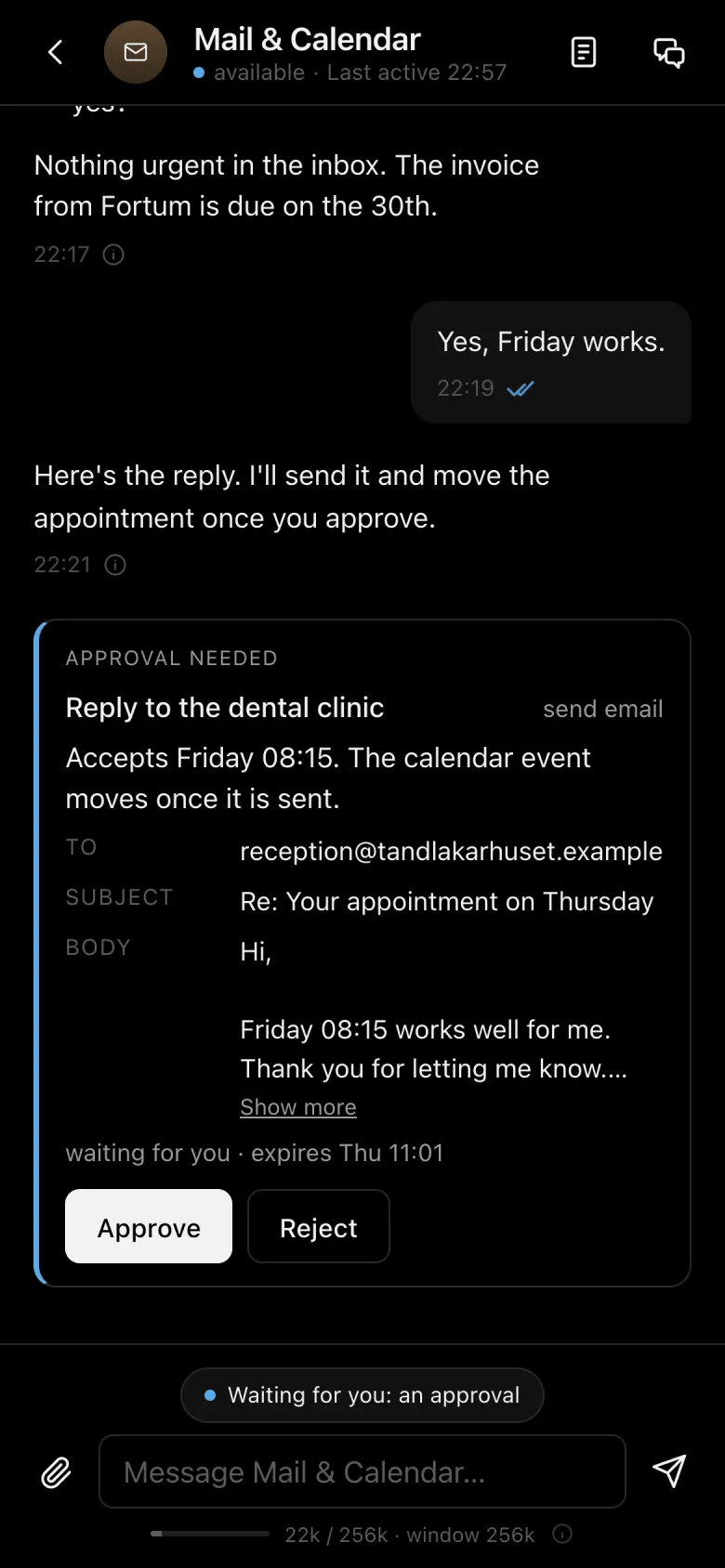
An email reply waiting for approval on a phone.
ai.proxlab.se
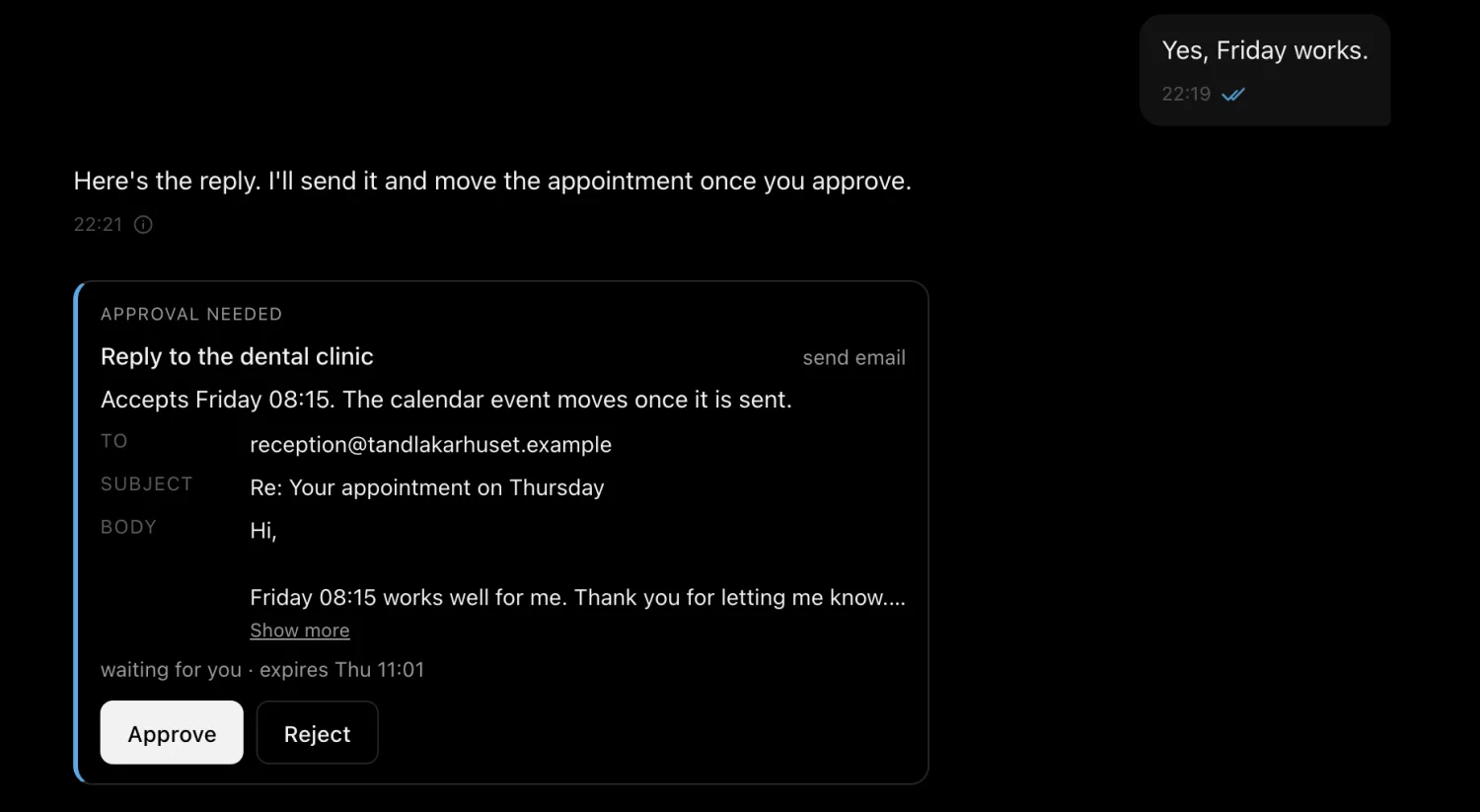
Mail and Calendar asks for approval to send a reply to the dental clinic, showing the recipient, subject and text, with Approve and Reject.

Knowledge

Everything you know, on hand.

Add manuals, contracts, runbooks and notes to your library. Assistants search it when they answer and show which file they used. Share a document with the whole team, or keep it with one assistant.

  • PDF, Word, Excel, text and images
  • Scanned pages are read too
  • Search by name or by what's inside
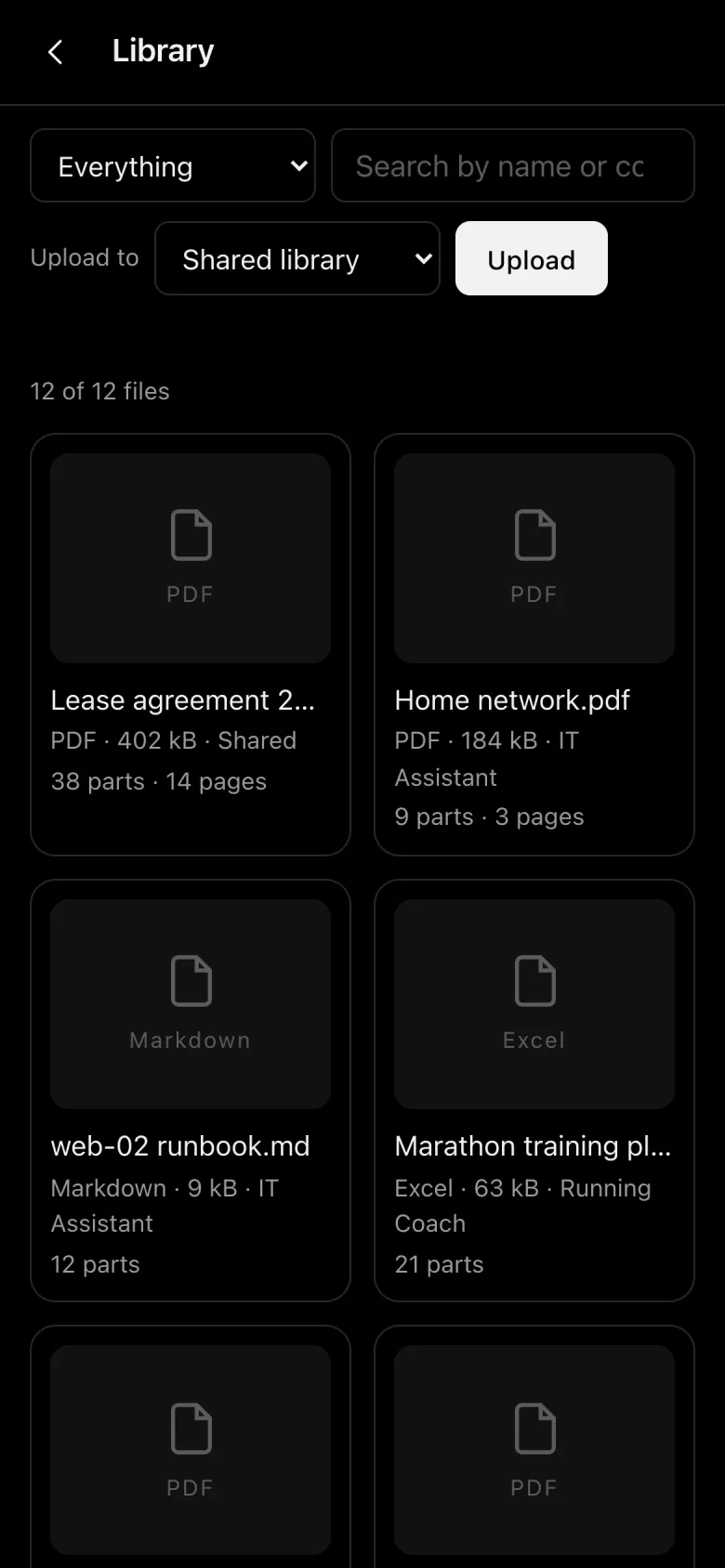
The library on a phone.
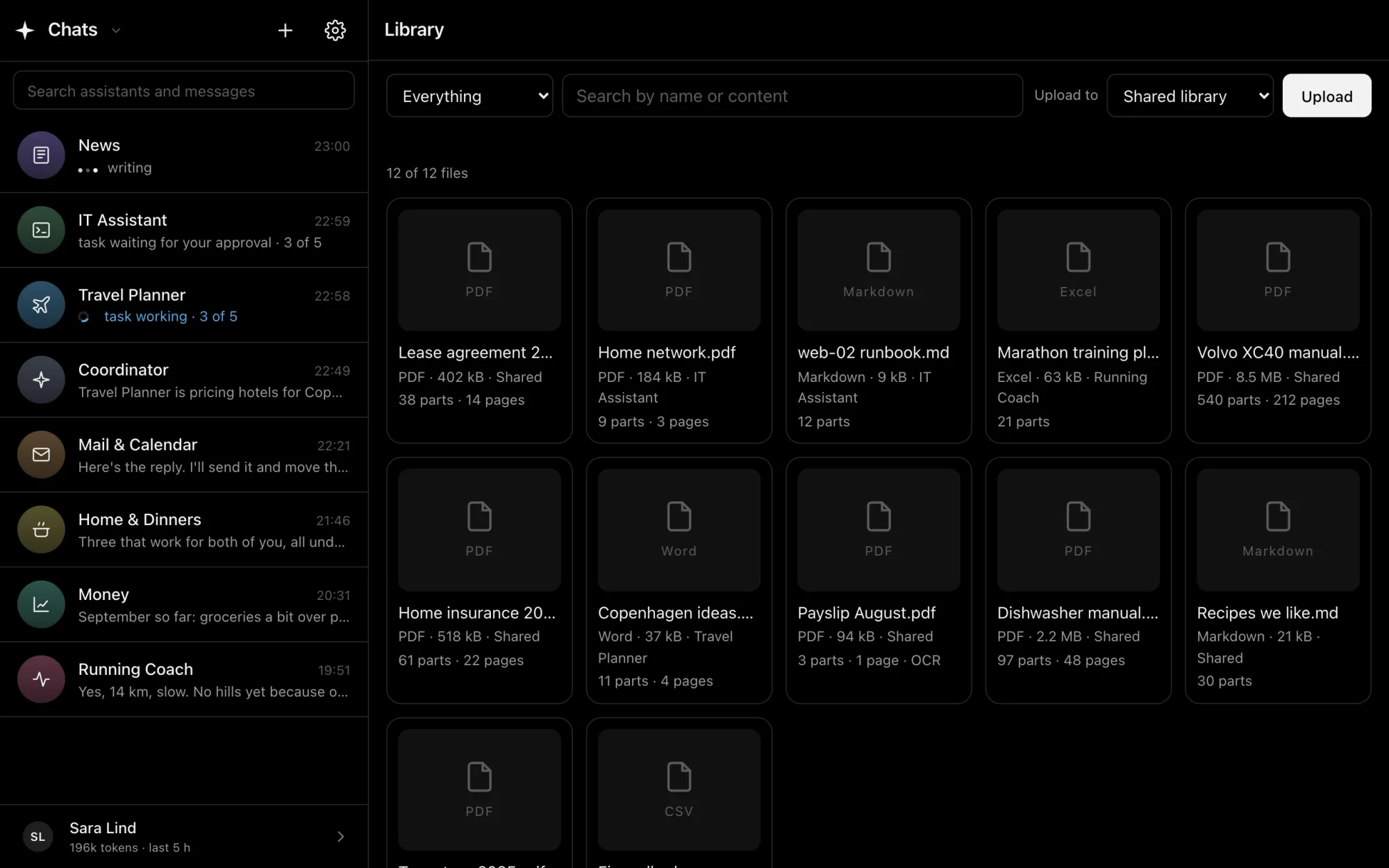
ai.proxlab.se
The library: twelve documents such as a lease agreement, a car manual, a server runbook and a training plan, each shared or kept with one assistant.

Everyday

Mail, calendar, trains and the rest.

Connect the accounts you want them to use. Each assistant only gets the tools you give it.

Web search Gmail and mailboxes Calendars Trains Flights Hotels Apple Health Servers over SSH Your documents
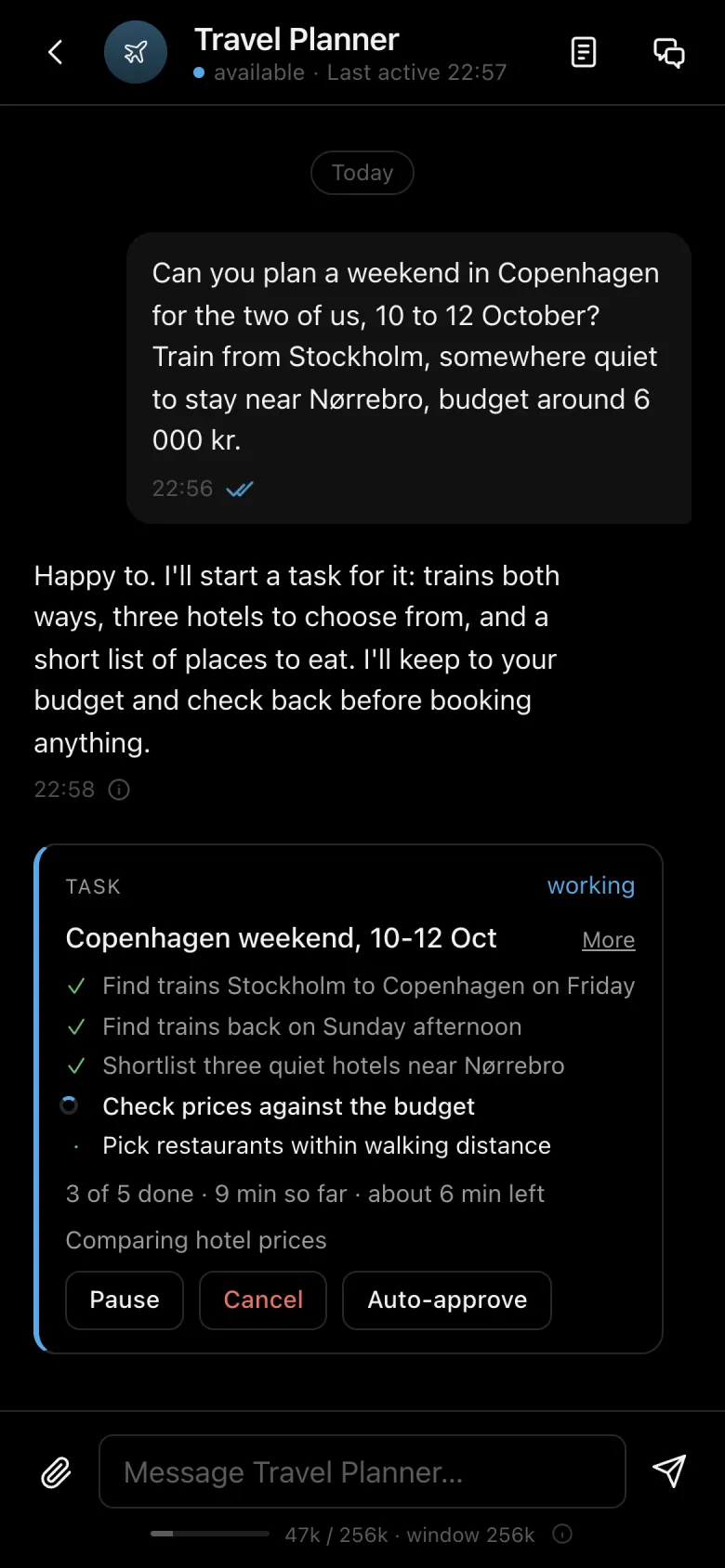
The Travel Planner planning a weekend in Copenhagen on a phone: trains, hotels and restaurants as a task.

Models

Our models, or your own.

Start with the models we run for you, hosted in Europe. Already running a model yourself? Connect it, and your team works on your own hardware instead.

Hosted in EuropeProxlab AI and the models we run are hosted in Europe.
Bring your own modelConnect a self-hosted model through its OpenAI-compatible API, such as LM Studio, Ollama, vLLM or llama.cpp.
Deleted means deletedDelete a conversation, a file or your whole account, and it is removed, not hidden away.
Mail and web pages are data, not ordersWhat an email or a web page says is never taken as an instruction. Only you give those.

Invite only, for now.

Proxlab AI is open by invitation while it grows. Got an access code? Create your account and meet your first assistant in a minute.